

Any changes to your current license, be it the free community, basic or pro teams license, are possible at any time in the user settings.
If you downgrade, you will retain all the features of your current license until the end of the current billing month.
If you encounter problems with your payment process, you can contact us at any time by email .
| Step | Description | Image |
|---|---|---|
| 1 | Log in to Production Assist and open the user settings at the top right of the Production Assist website . | 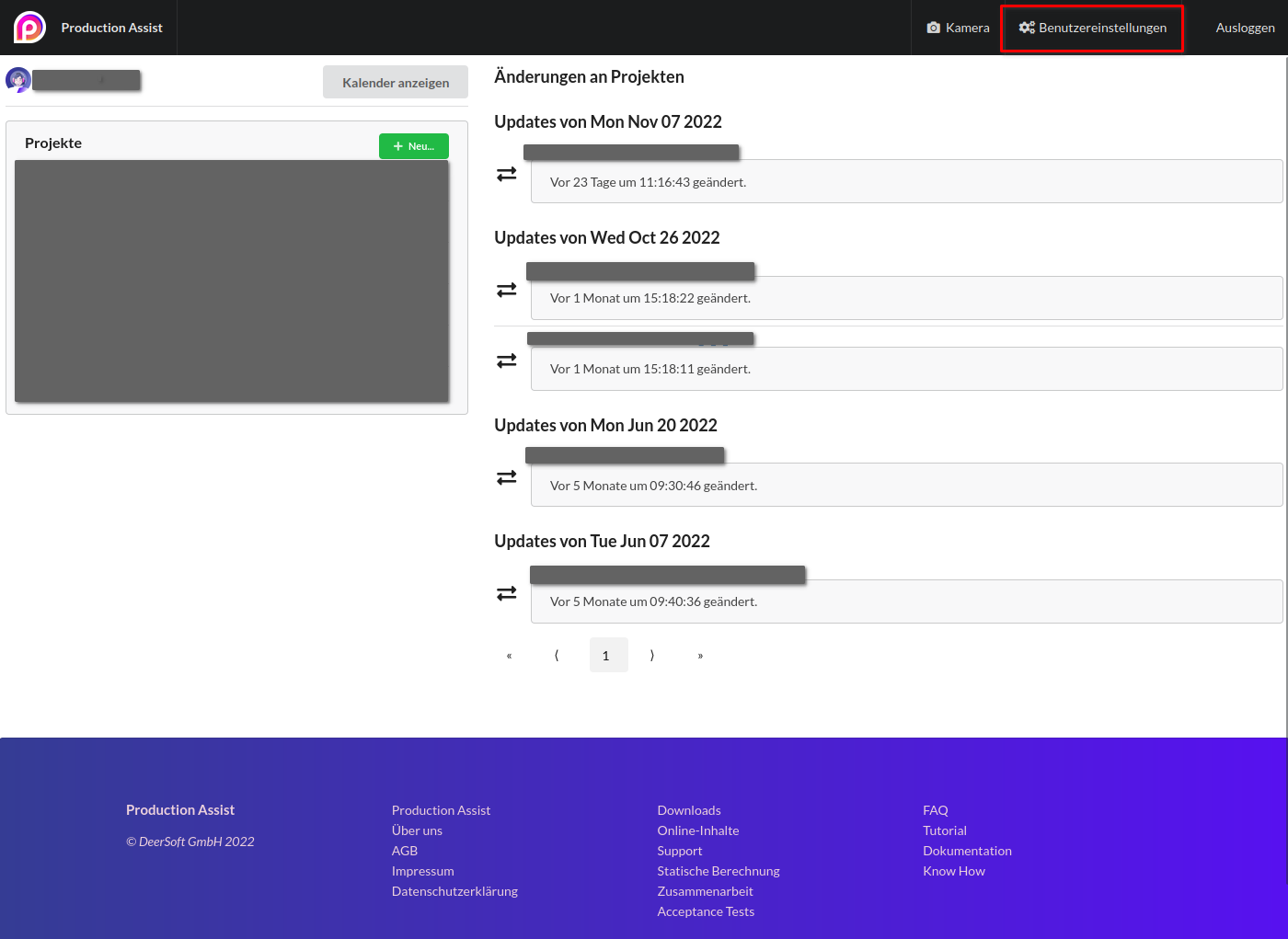 |
| 1 | Select the Account & Billing tab | 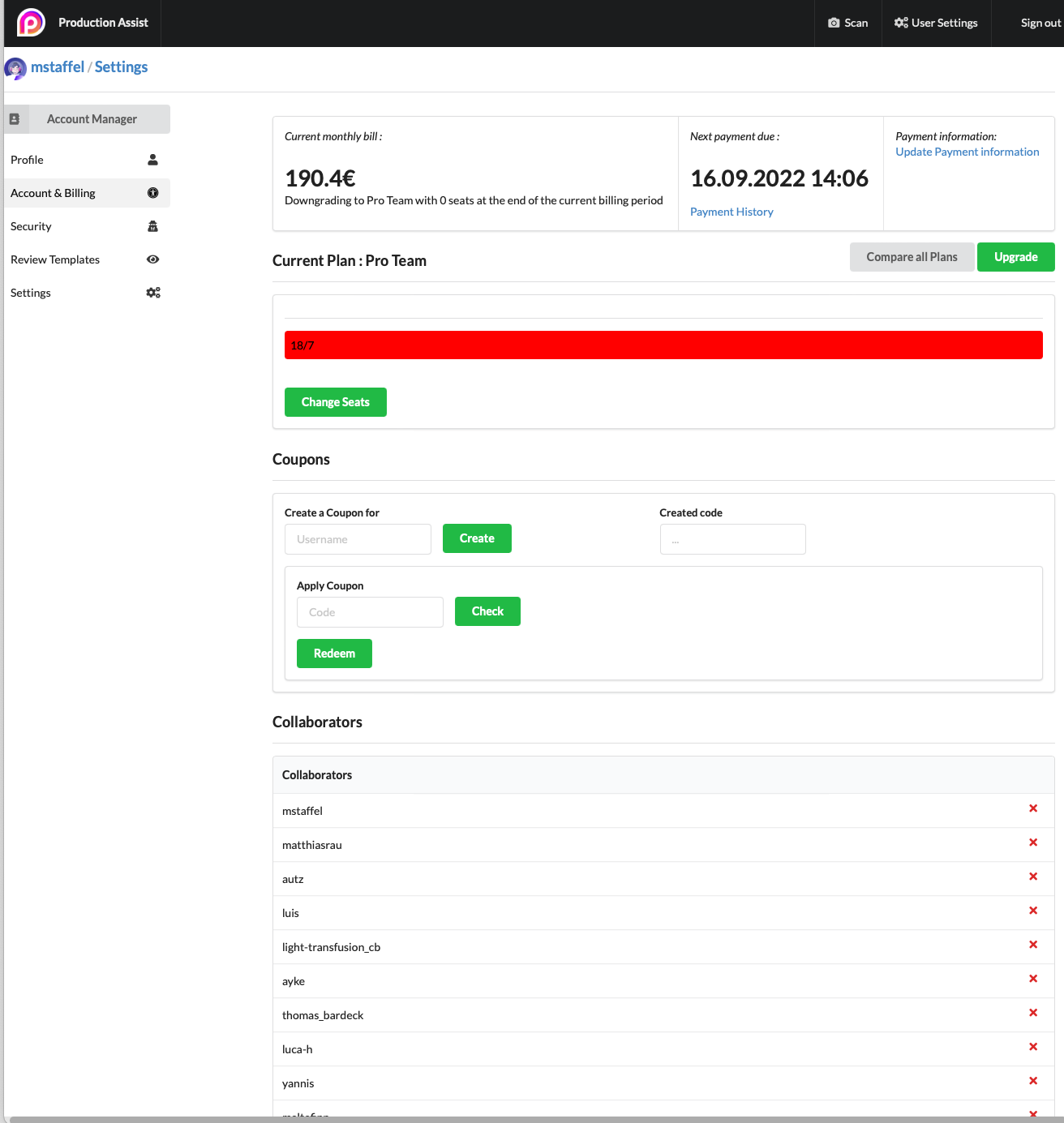 |
| 2 | To the right of your current plan, you'll find the "Compare All Plans" and "Customize" buttons. Click on the desired button. | 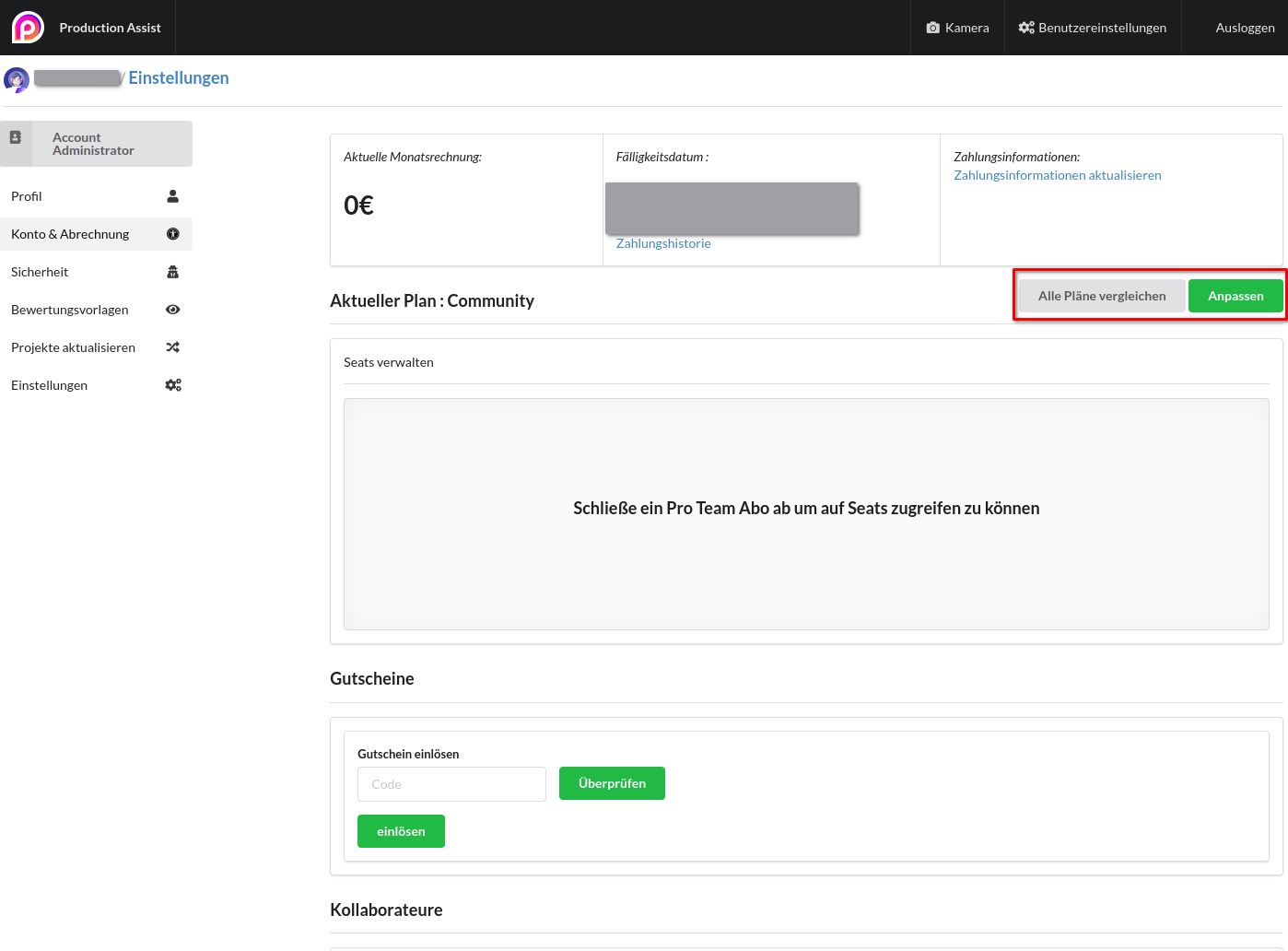 |
| 3 | We offer you three different license options to choose from, which differ in price and scope of services. Once you have found your desired option, click "Next". | 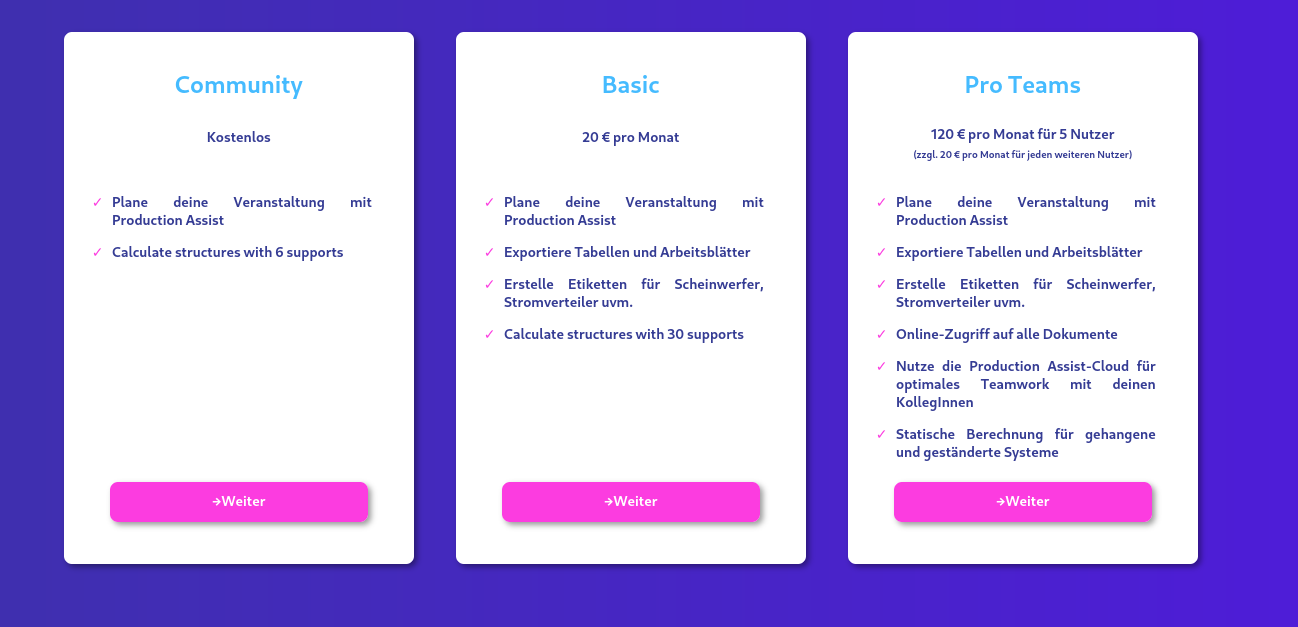 |
| 4 | If there is no payment method stored yet, you will be asked to enter it accordingly. You can either pay for your license with a credit card or with a SEPA direct debit mandate. | 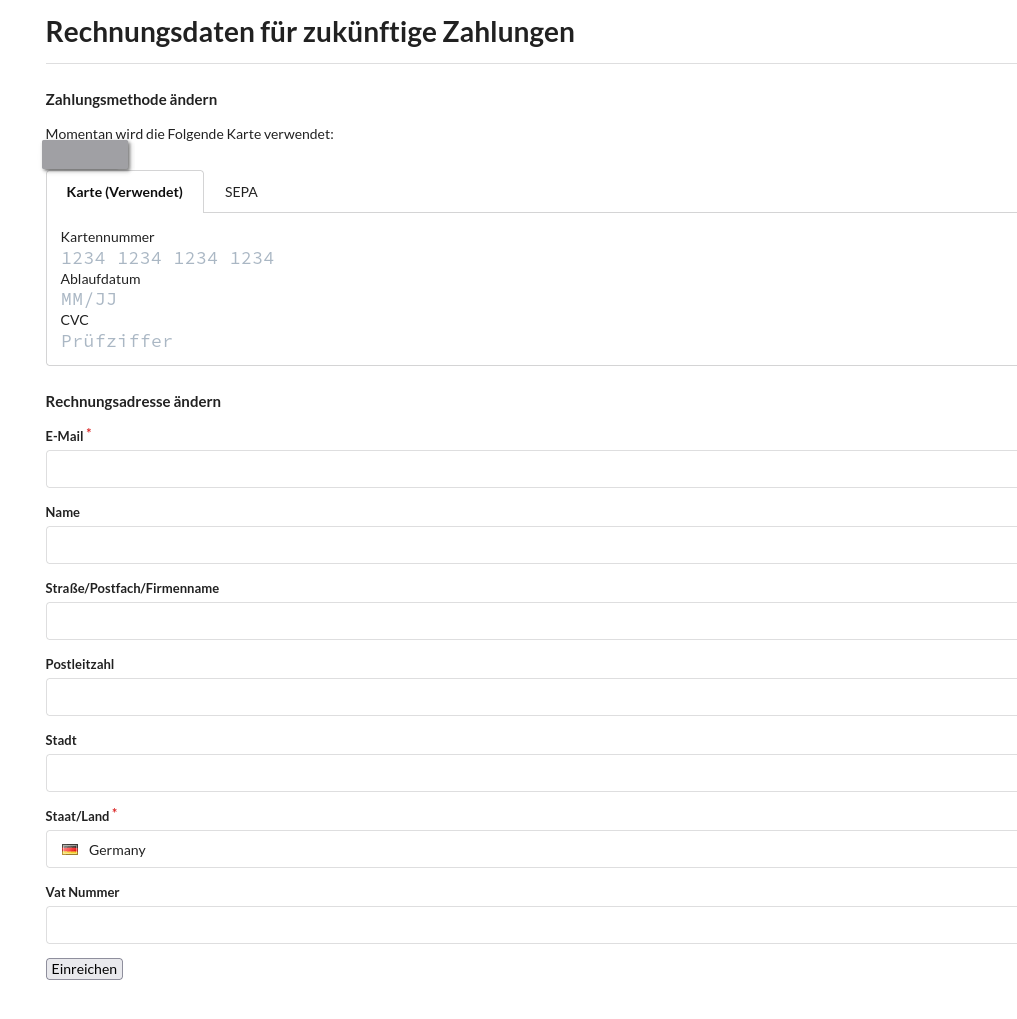 |
| 5 | Before you change, you will be asked to check your details again. Once you hit "Confirm, you'll be automatically redirected to Settings." | 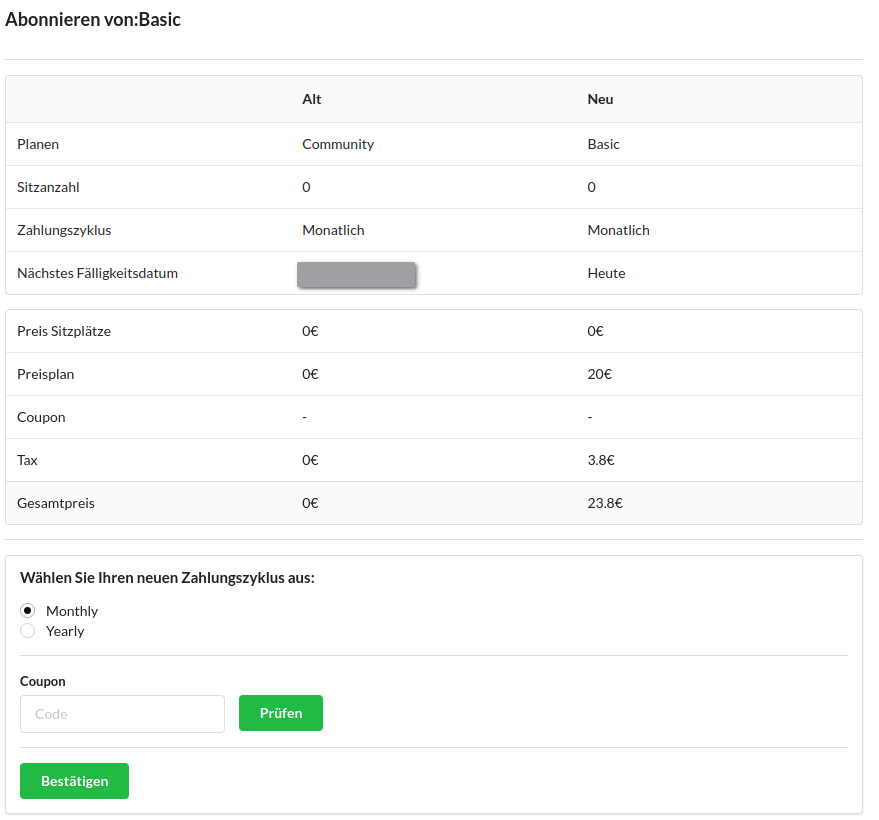 |