

Checks allow access to the internal data structures of Production Assist using a simplified JavaScript-API and so on automate complex checks.
Multiple scripts can be created for each project. Scripts can also be created across users and used in multiple projects. The checks can be viewed in Resource Manager -> "Automatic Checks".
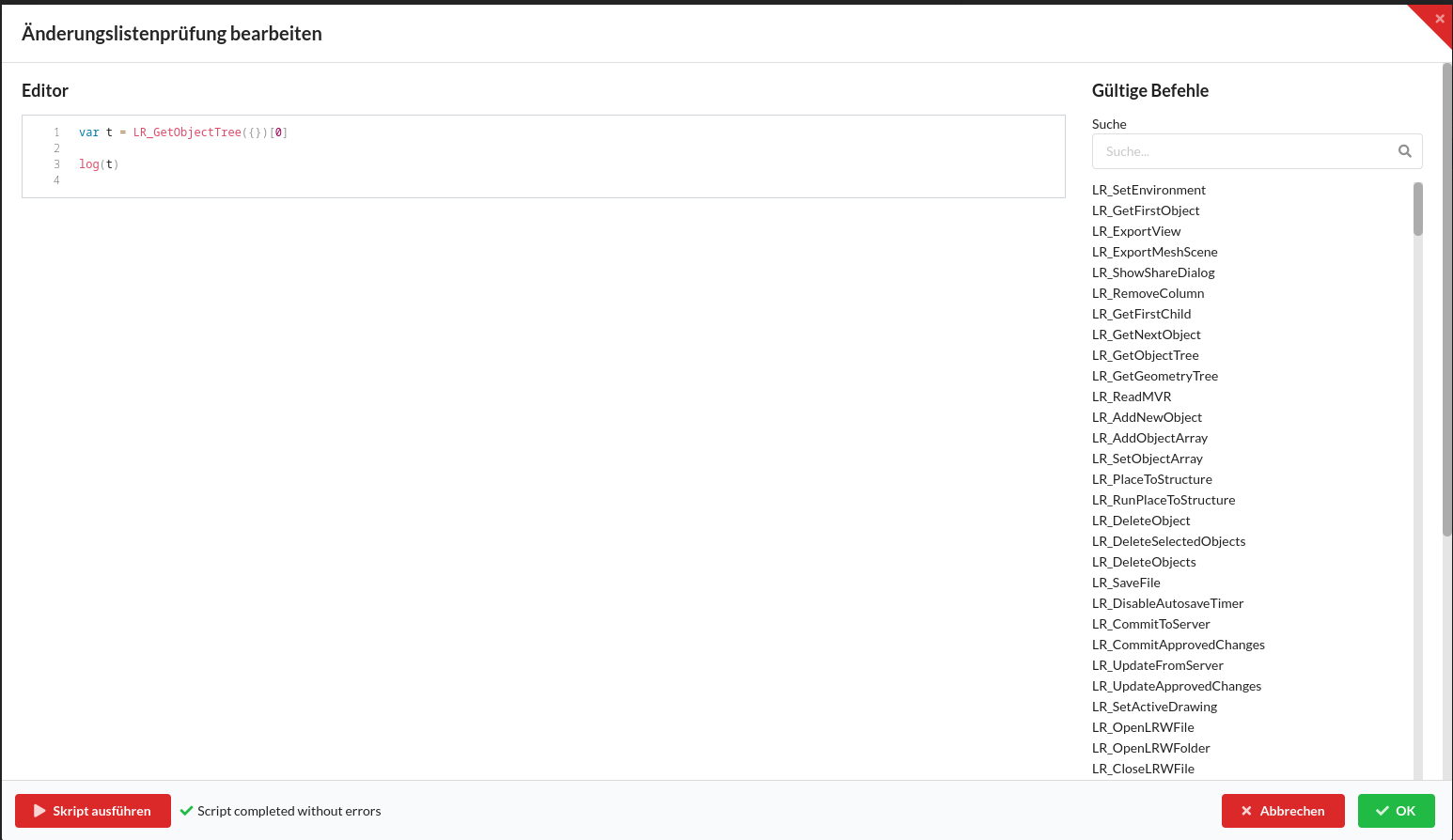
The editor allows editing the code on the left and offers a list of available commands on the right. The list of commands is created dynamically.
Every function requires an object as the first argument, possibly an empty object, and always returns an object, a list or undefined back.
The following functions are used particularly frequently:
| Command | Arguments | Description |
|---|---|---|
| LR_GetObjectTree | {IncludeGeometries?: boolean, IncludeProperties?: string[]} | Returns all objects (and some of their internal data) in the current drawing as a flat, sorted list |
| LR_GetObject | {UUID: uuid} | Returns an object and all of the object's internal data. The UUID identifies every object in Production Assist and can be used via LR_GetObjectTree or LR_GetFirstObject be received. |
In addition to the internal Production Assist functions are also available Three editor functions available:
| Command | Description | Example |
|---|---|---|
| log | Prints a string value to the output | var t = LR_GetObjectTree({}); log(t[0].Name) |
| check | Checks whether the first argument true is, if not, the second argument is printed | var t = LR_GetLinkedProject({}); check(t.Project !== "", "Projekt ist nicht mit der cloud verknüpft") |
| analyze | Prints the contents of an object to the output. Different to log it also allows printing of objects | var t = LR_GetFirstObject({}); analyze(t) |
Scripts can be incorporated into the workflow in several ways:
%%SCRIPT_PROVE_CHECK(SkriptName)%% be insertedIn all cases, the script is not only executed, but also checked for errors.
In addition to JavaScript errors, this also includes all of them check-Functions whose first argument false results.
analyzefunction, an object and its data can be viewed and the structure of other objects can be deduced.log-Function can only output one string at a time, but JavaScript allows numbers, objects and strings to be combined. Line breaks can be done using the control character \n be inserted. See examples%%SCRIPT_PROVE_CHECK(SkriptName)%%clause is executed, subsequent scripts can access all global data from previous scriptsvar tree = LR_GetObjectTree({})
analyze(tree[0])
for(var t = 0; t < tree.length; t++){
log(tree[t].Name)
}
var obj = LR_AddNewSavedView({Name:'My new name'})
log(obj.Name)
log-Function#var a = 1
var b = "test"
log("result: " + a + " -- " + b)
check-Function#var tree = LR_GetObjectTree({})
var a = tree[4]
var b = tree[5]
check(a.Weight > 0, "Item " + a.Name + " has no weight! Check the Object")
analyze-Function#var tree = LR_GetFirstObject({})
analyze(tree)
Production Assist uses a minimized JavaScript engine, which does not provide some features of the modern JavaScript. These include in particular:
let is not availablefor(... of ...) Loops are not availableasync / await is not availableconsole.log is not availableComplete reference of all API functions available from the C++ core (core/jsbridge/module_main.cpp) can be exported via NAN to JavaScript.
%LR_API_FUNCTION_PLACEHOLDER% This line will be automatically replaced