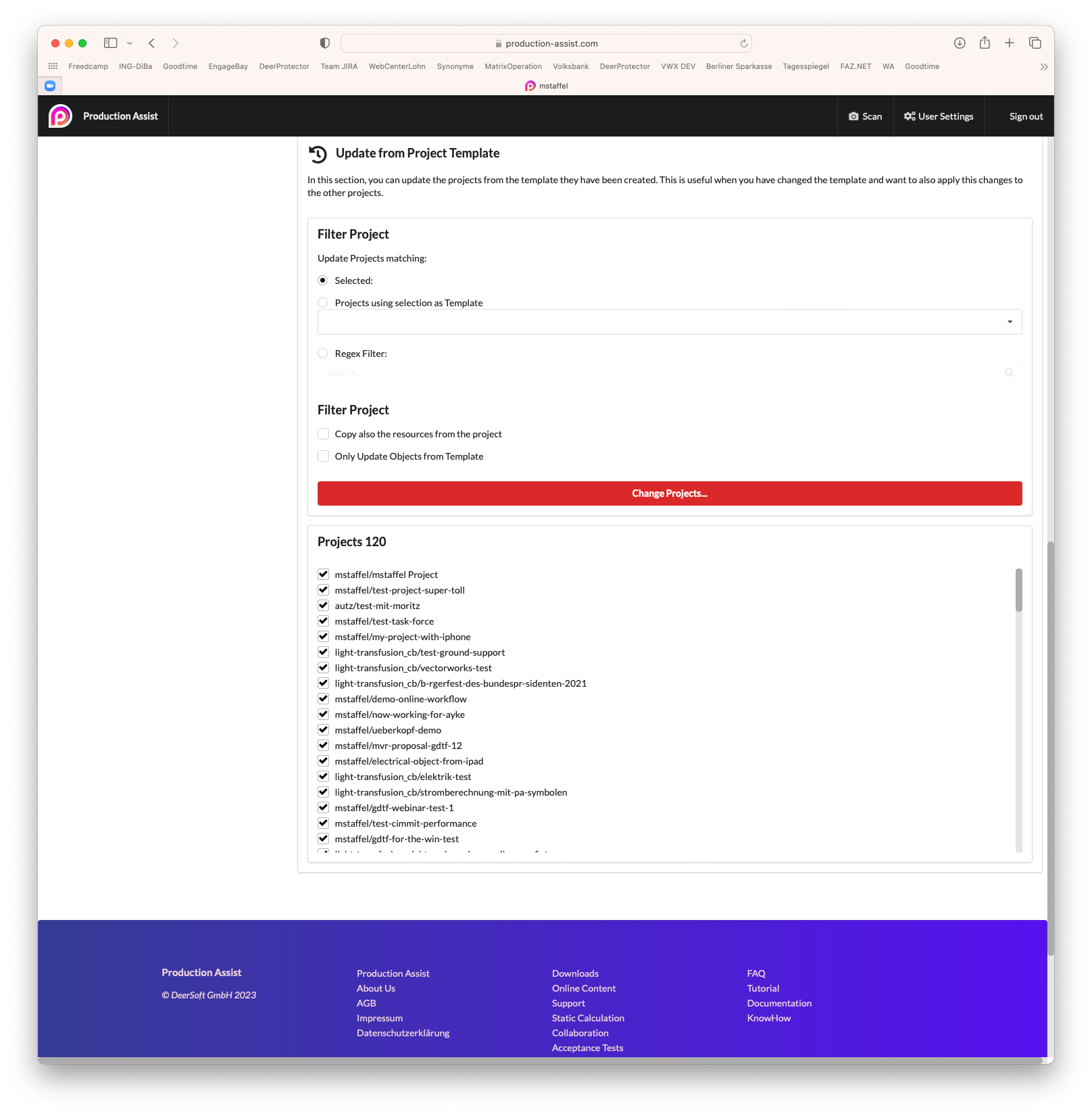
The resources and templates of projects can be updated in the user settings under the Update Projects tab.
In this way, several projects can be changed at once via the website.
Projects can include resources such as symbol maps, field maps, or cross-sectional data. These are defined via JSON data. This JSON data can be entered here and assigned to several selected projects.
The following data can be updated:
| Name | Description | Key |
|---|---|---|
| Symbol Map | The Symbol Map describes how external symbols or blocks are processed in Production Assist. For example, for the MVR import it can be defined how symbols from the MVR are replaced with symbols from the Production Assist library. | symbolMap |
| Field Map | The Field Map describes how certain external database fields are synchronized with Production Assist. For AutoCAD, the block attributes can thus be mapped to Production Assist properties | vectorWorksfieldMapping |
| Cross Section Data | Describes the cross-sections used in the calculation | crossSection |
| Material Data | Describes the materials used in the calculation | material |
| Structural Report | Describes the templates for the static calculation used for documentation. | calculationReport |
| Paperwork Report | Describes the templates used for documentation. | paperworkReport |
The JSON data can best be created with EXPORT in Production Assist. A JSON document is created which can be used as a template.
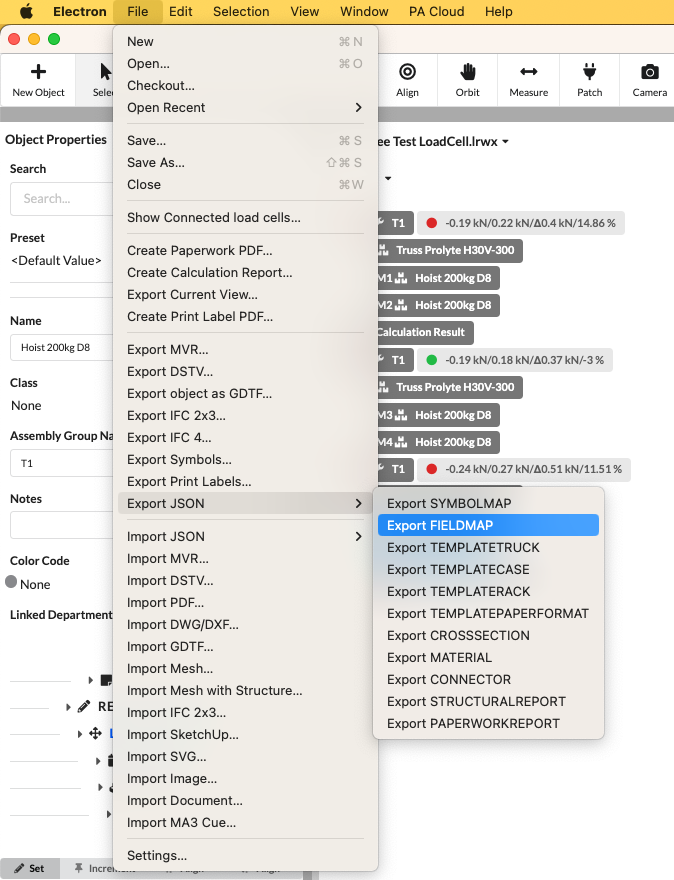
The data can then be edited directly.
The following JSON shows an example of a symbol map:
{
    "symbolMap": [
        {
            "From": "SPS_Hängepunkt",
            "ToName": "Bridle Placeholder",
            "ToRessourceIdent": "template-1",
            "ToUUID": "{579468EE-7343-40FF-9014-D2A7AAD98700}"
        },
        {
            "From": "Hängepunkt_SPS",
            "ToName": "Bridle Placeholder",
            "ToRessourceIdent": "template-1",
            "ToUUID": "{579468EE-7343-40FF-9014-D2A7AAD98700}"
        },
        {
            "From": "Distro HAN-16 6-way Plugbox",
            "ToName": "PlugBox HAN 16 -> 6xSchuko",
            "ToRessourceIdent": "kabel_auflosungen",
            "ToUUID": "{1DA0E9CF-787C-4160-9E5D-8EE8B6F6E700}"
        }
    ]
}
The JSON is inserted into the JSON editor on the left. Then add this to the project.
Filter Projects
| Setting | Description |
|---|---|
| Selected | Updates the resources only for the selected projects in the list below. |
| Regex filters | Updates the resources only for the projects that match the given regex filter . |
Update operation
| Setting | Description |
|---|---|
| When nothing is active | If no selection is made, the existing resources in the project will be overwritten. |
| Append new Objects | If activated, the new resources will be added to the existing resources. |
| Overwrite new Objects | If enabled, resources present in the new JSON will be swapped with the old resources. |
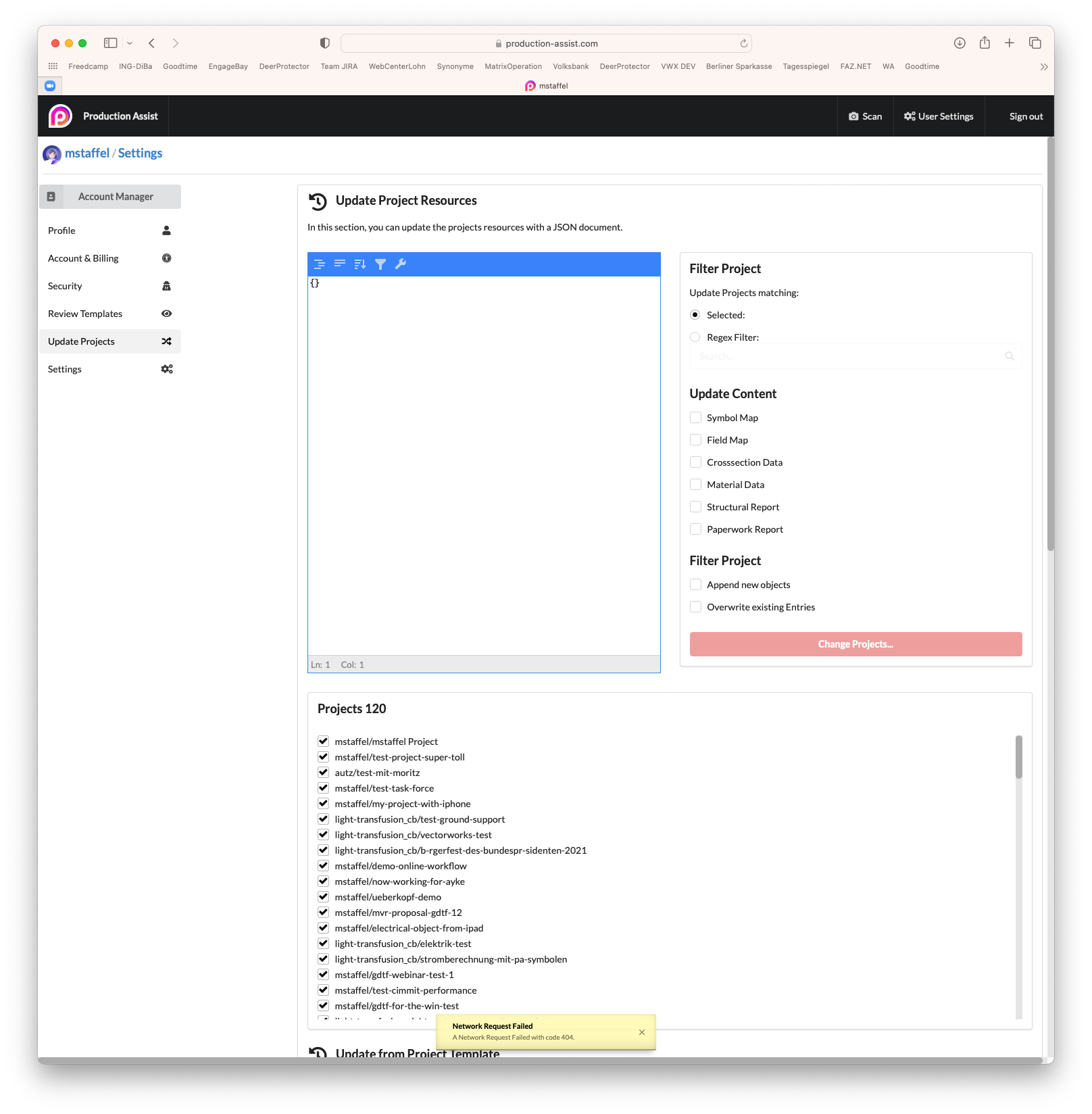
Projects can be based on a template. These are copied once as the basis for the new project when the project is created.
Changes to the template must be made manually.
Filter Project
| Setting | Description |
|---|---|
| Selected | Updates the templates only for the selected projects in the list below. |
| Regex filters | Updates the templates only for the projects that affect the given regex filter . |
Update operation
| Setting | Description |
|---|---|
| When nothing is active | All objects from the project are deleted and only the objects from the template are written to the project. |
| Also copy the resources from the project | If activated, all resources of the template are copied into the project. |
| Only Update Objects from Template | If activated, objects whose origins do not have a template are not changed. Only objects from the template that have been changed, deleted or created are also changed in the project. |